For nanny agencies
Your nannies, your families, one page.
Link the families you place nannies with, set shifts from the web, and give every family Premium. Priced by the number of families. Nannies are included.
What your agency gets
Your agency HQ
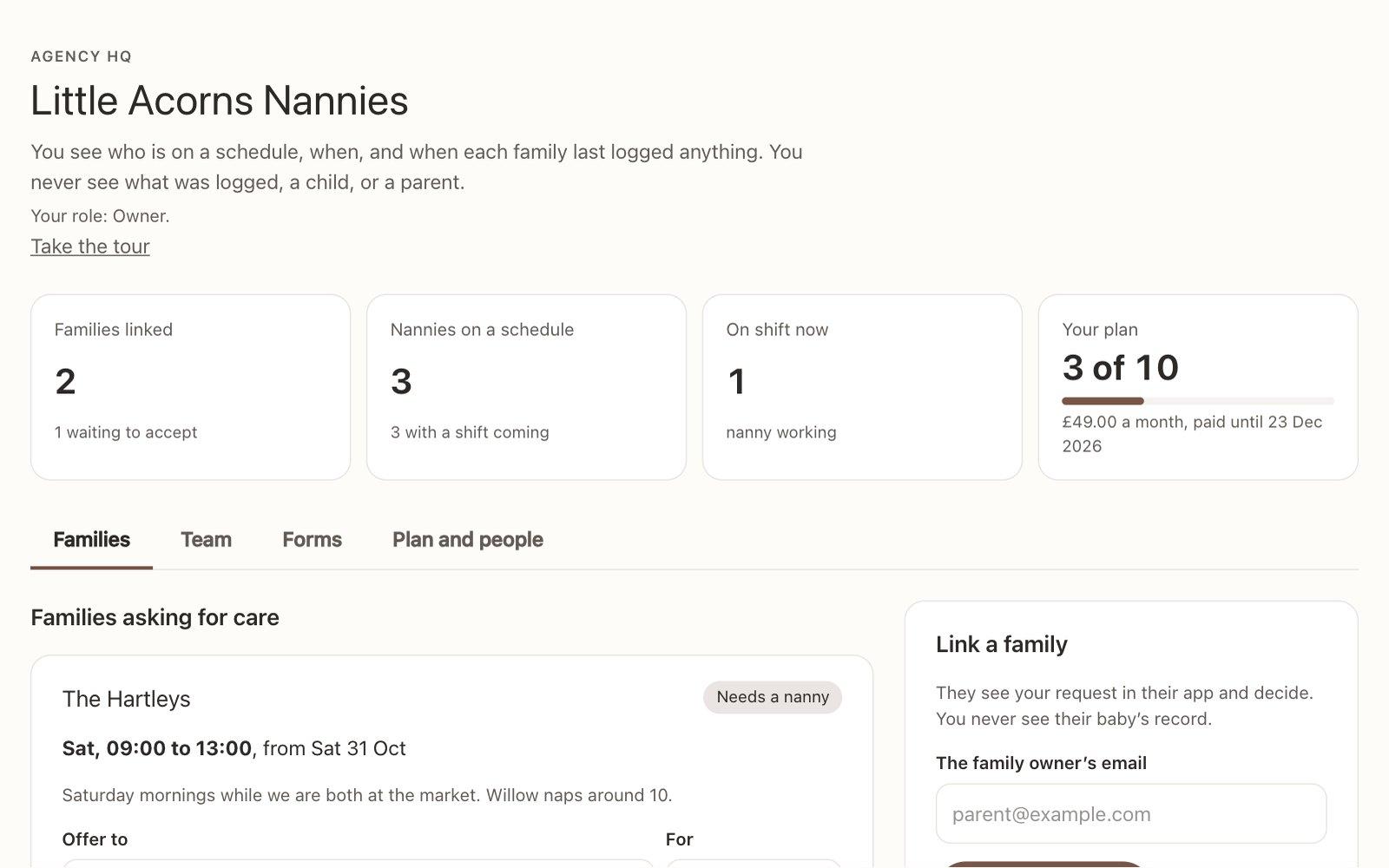
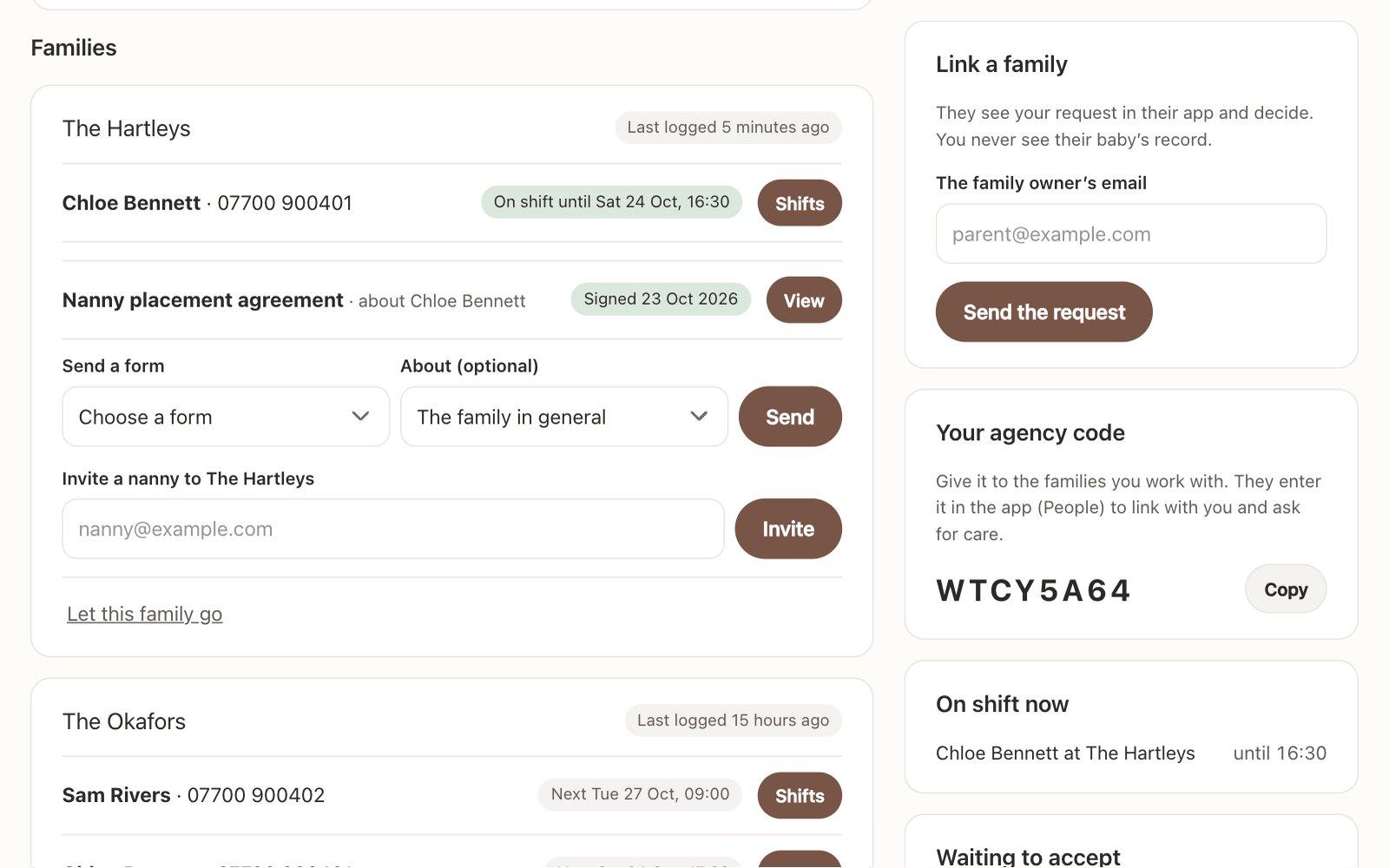
One web page with every family you work with, the nannies on each, who is on shift now, and when each family last logged.
Families ask, you offer
A family asks for care from their phone. You see which nanny is free, offer the shifts, and the nanny accepts in a tap.
Nannies say when they are free
Each nanny sets their days, hours and time off. You see it when you match, and nobody else does.
Forms the family signs
Send your own risk assessment or consent, with questions or your own PDF. The family signs in the app, and you keep the signed copy.
Calendars that stay in sync
Every nanny, every family and your HQ can add the shifts to the calendar they already use. A change follows on its own.
Hours for payroll
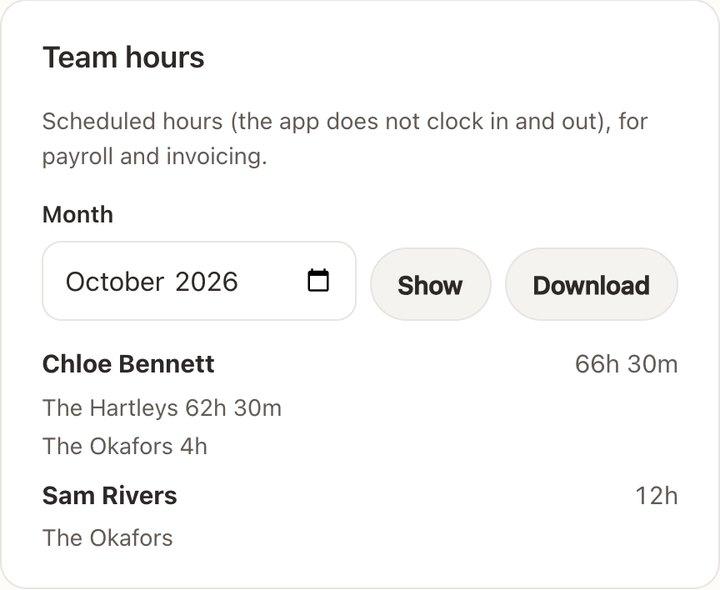
Scheduled hours for the month, nanny by nanny and family by family, ready to download.
Premium for every family
While your plan is paid, every family you link has Premium for everyone in it, parents and nanny.
Privacy built in
You see who is on a schedule, when, and when a family last logged. You never see what was logged, a child, or a parent’s details.
The family stays in charge
A family accepts your link, can end it at any time, and keeps their record if they do.
Pricing
Pay for the families, not the nannies.
£99 a month
Up to 25 families, about £3.96 each. Every nanny you work with is included.
| Families | A month | Per family |
|---|---|---|
| Up to 10 | £49 | about £4.90 |
| Up to 25 | £99 | about £3.96 |
| Up to 50 | £179 | about £3.58 |
| Up to 100 | £299 | about £2.99 |
| More than 100 | Priced to fit. Talk to us. | |
Every plan includes the agency HQ, all your nannies, and Premium for every family you link. Invoiced monthly, or yearly with two months free.
From a family’s request to a nanny on shift
Your HQ, at a glance.
Families linked, nannies on a schedule, who is on shift now and your plan, on one page. Give families your agency code and they link from the app.
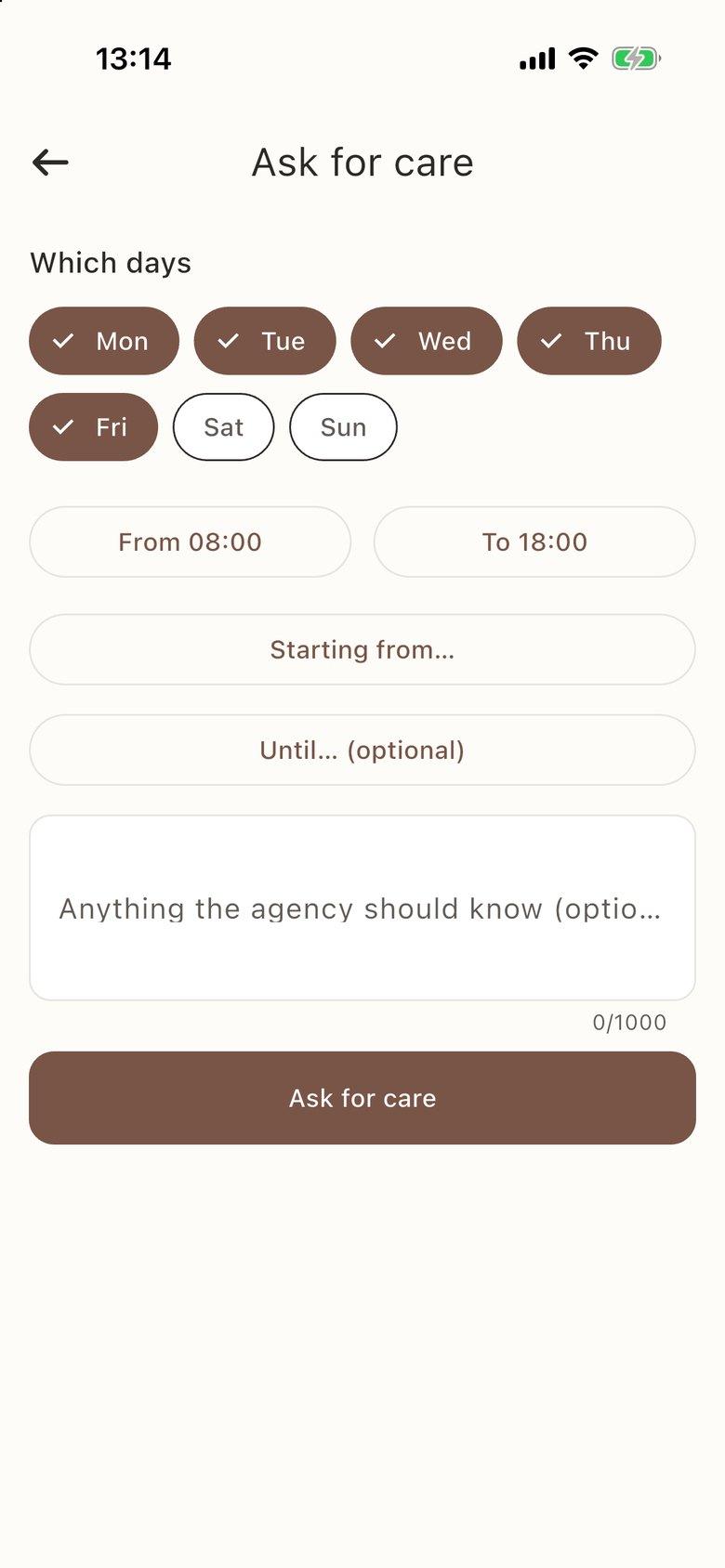
A family asks for care.
Days, hours, a start date and a note about the children, from the parent’s phone. No phone calls and no forms to chase.
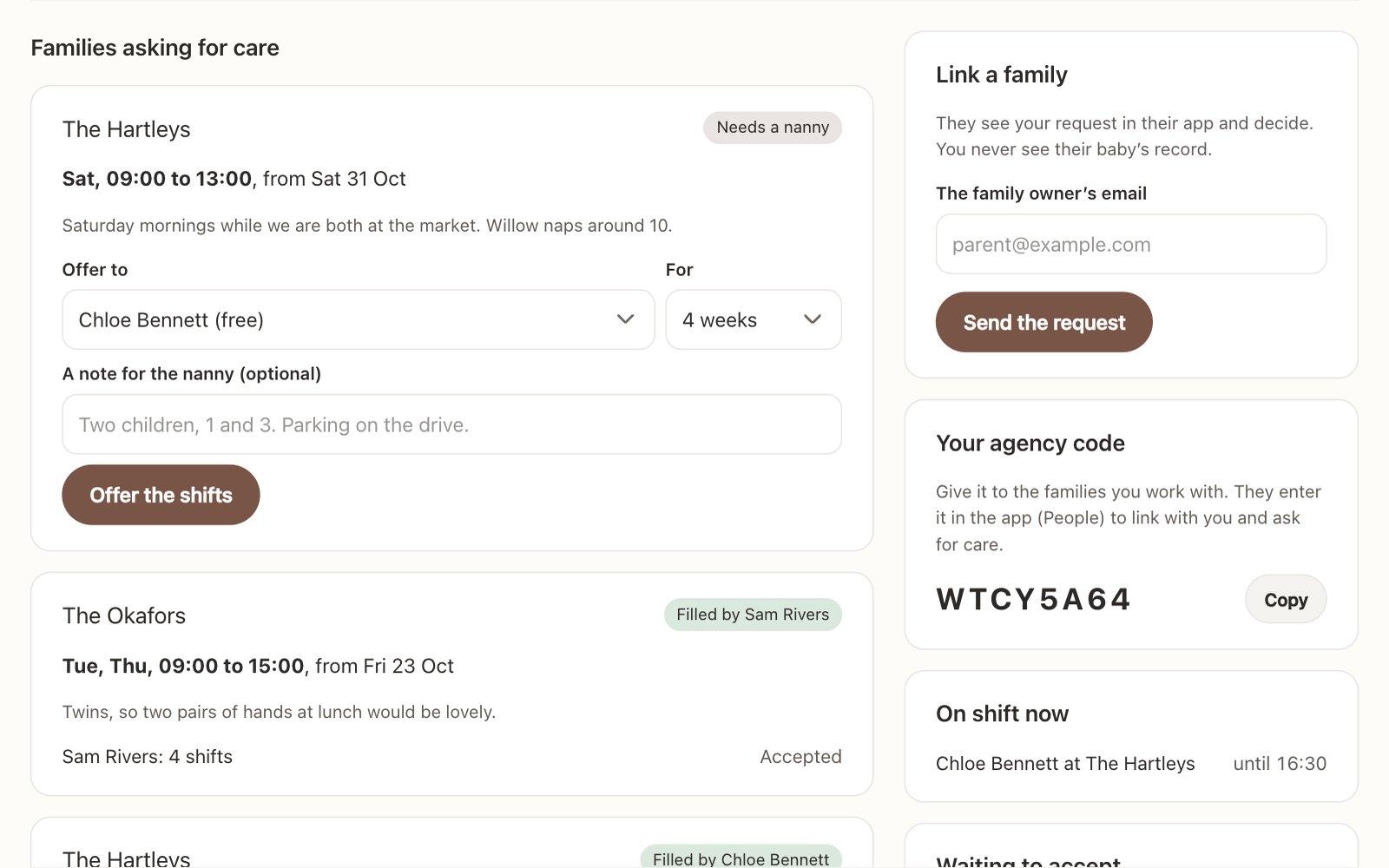
You see who is free.
Each request shows the nannies on your team whose hours fit, and who has time off coming up. Pick one and offer the shifts.
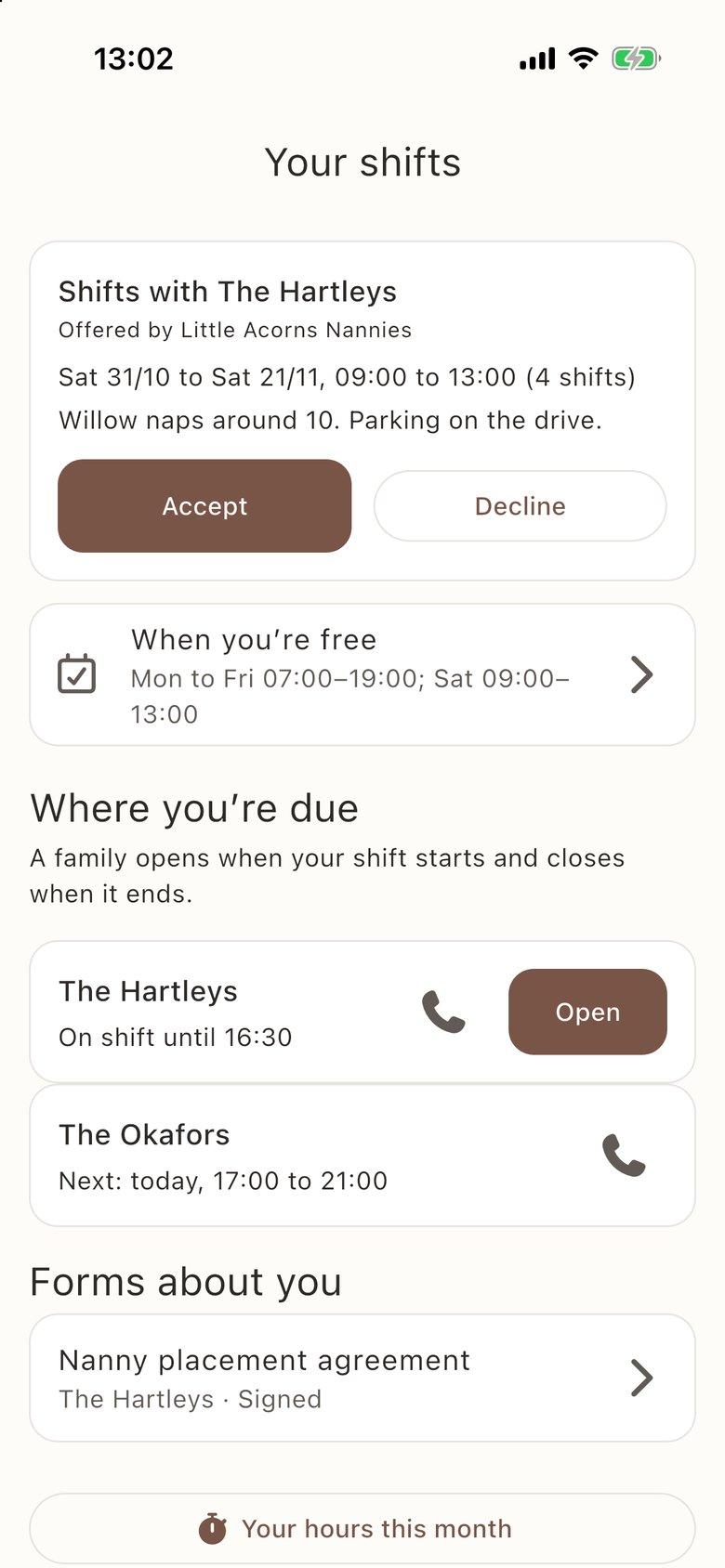
The nanny accepts.
The offer lands on the nanny’s phone with the family and your note. One tap and they are added to the family, with the shifts on their list.
The family stays in the picture.
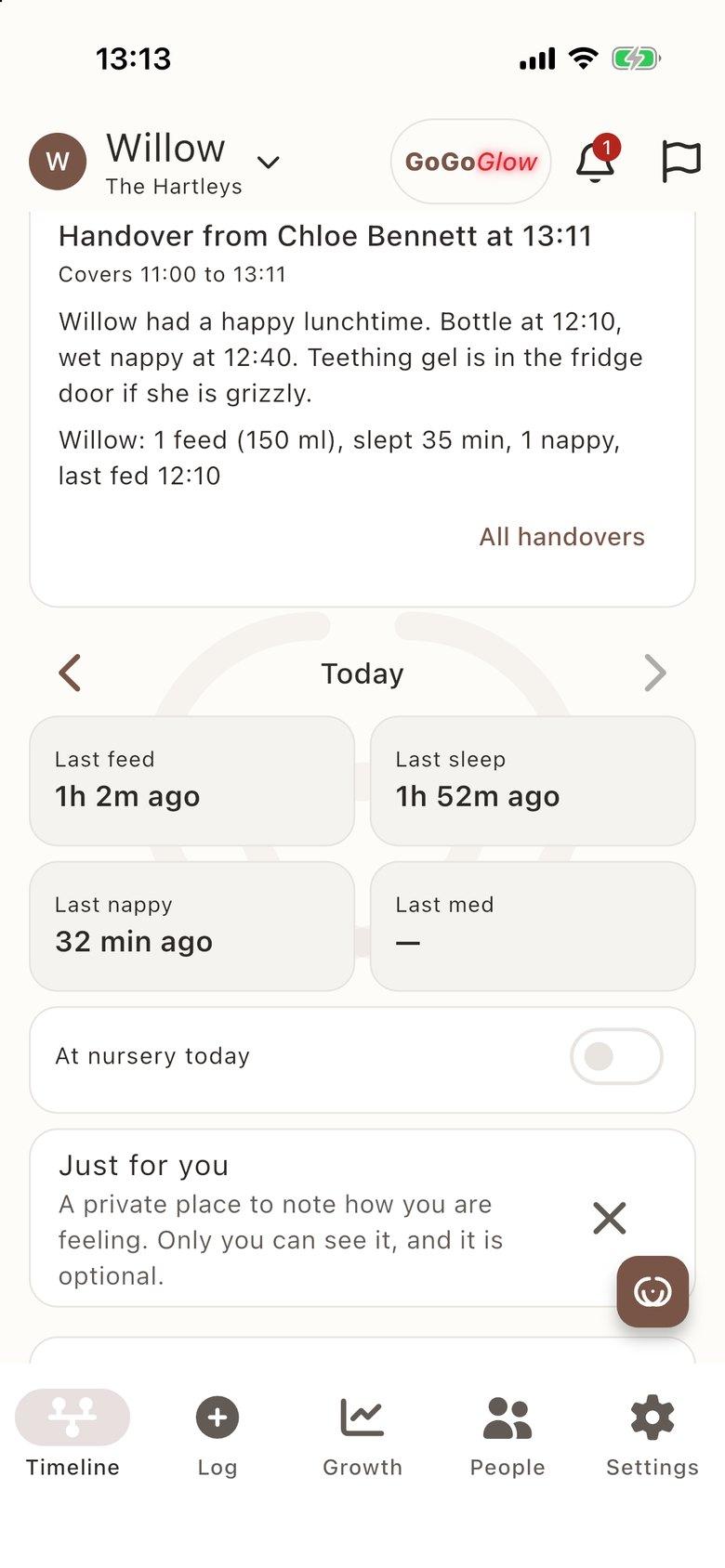
When the shift ends the nanny hands over, and the parents see it first thing, with what was logged. Every shift is in everyone’s calendar.
Forms, signed and kept.
Send a form to a family, about a nanny or about the household. They sign in the app and the signed copy is yours. The nanny sees the answers only if you share them.
Your team and their hours
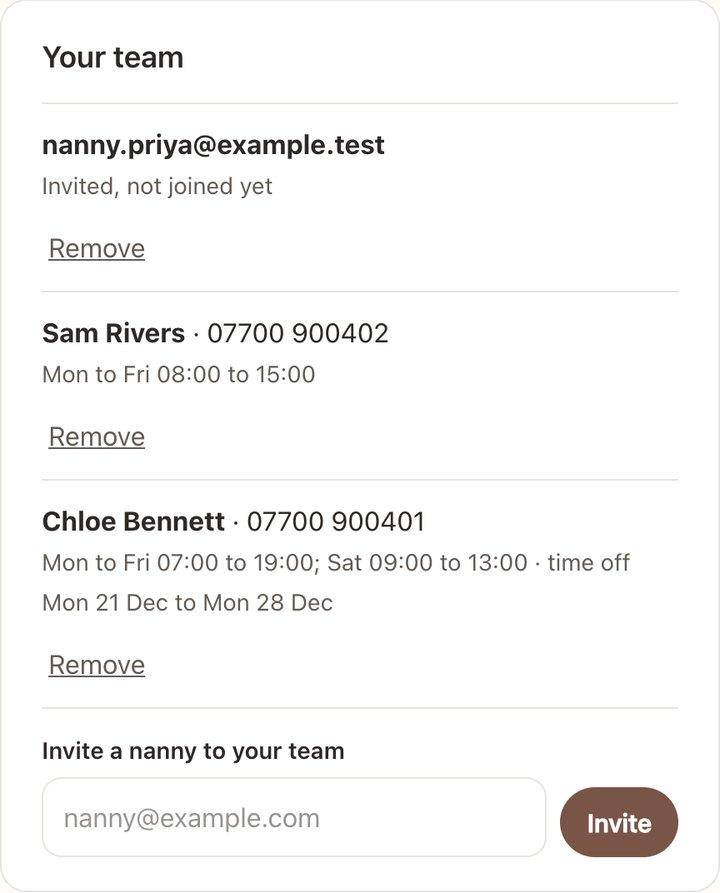
Every nanny’s number and free hours in one list, and the month’s hours, nanny by nanny, ready for payroll.
Good to know
What counts as a seat?
A family you link. Nannies are not counted, so add as many as you work with.
How do we pay?
By invoice, monthly, or yearly with two months free. There is nothing to buy inside the app.
What if a payment is late?
Families keep Premium for a week past the end of your plan, so a late payment never cuts off a shift. We remind you two weeks before it ends.
What happens to a family if we stop?
They keep everything they logged and carry on with the free plan.
Do nannies need to pay?
No. Joining a family is free for a nanny.
Start with a few families.
Talk to ushello@gogobambino.app
Read the how-to guide or download the flyer (PDF) to share with your team.
A nanny? See GoGoBambino for nannies. A parent? See how to ask your agency for care. See what families get with Premium.